PixelMe
Your photo.
Your pattern.
Turn a photo into a cross-stitch or bead pattern.
Cut down the colors and print a grid chart as a PDF.
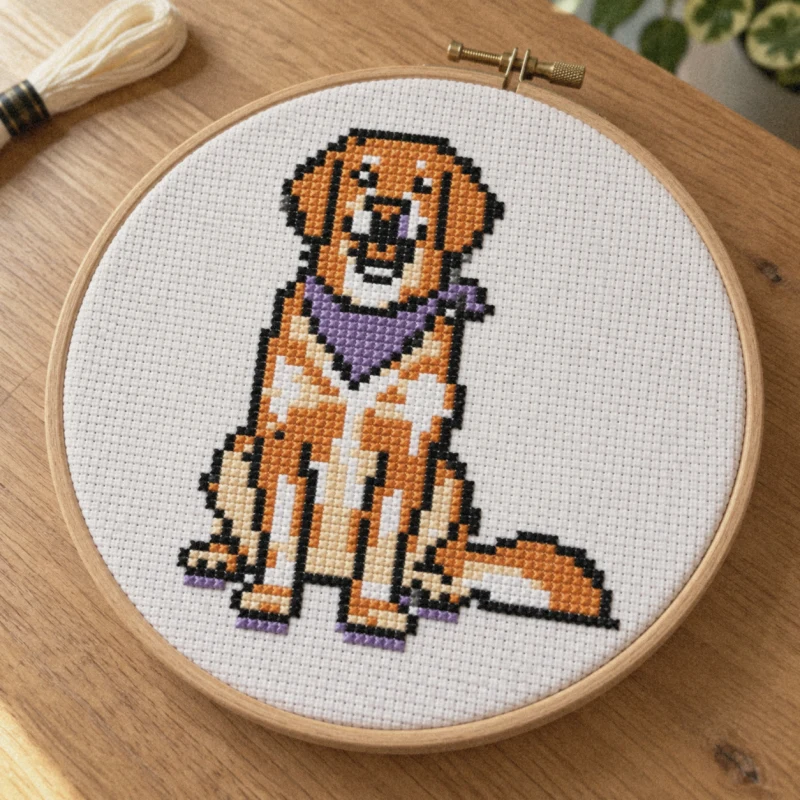
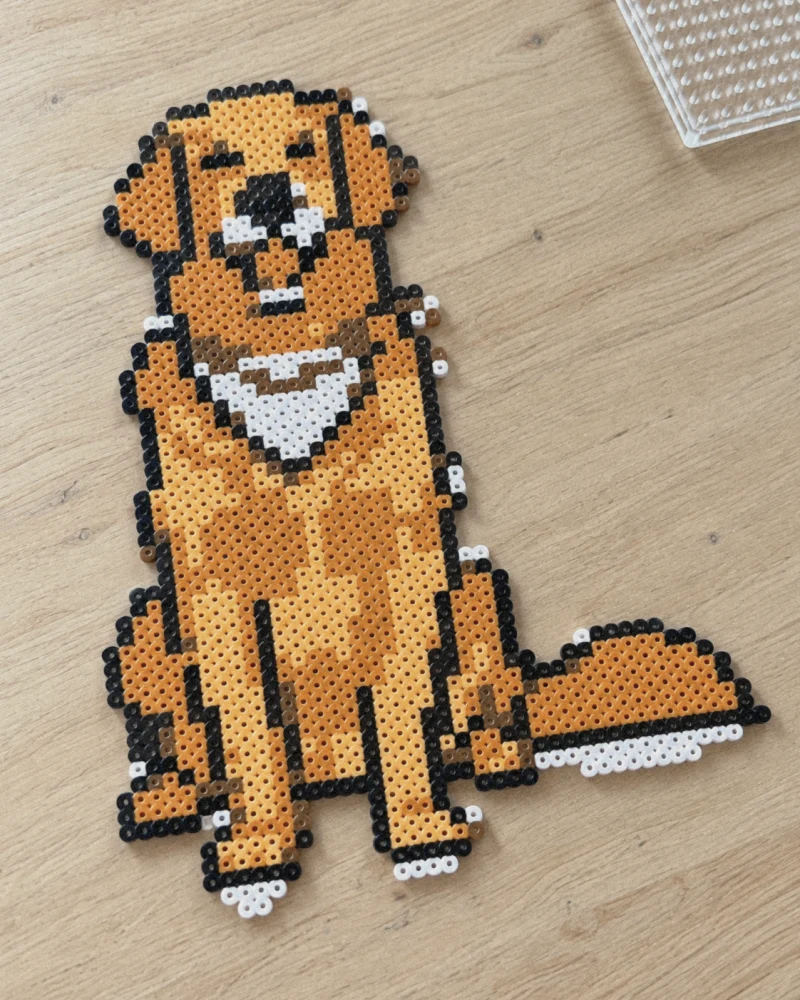
- Grid chart PDF (A4 / US Letter)
- Fewer colors
- DMC floss numbers too


Free plan: the full PDF chart, with ads. Pro removes the ads.
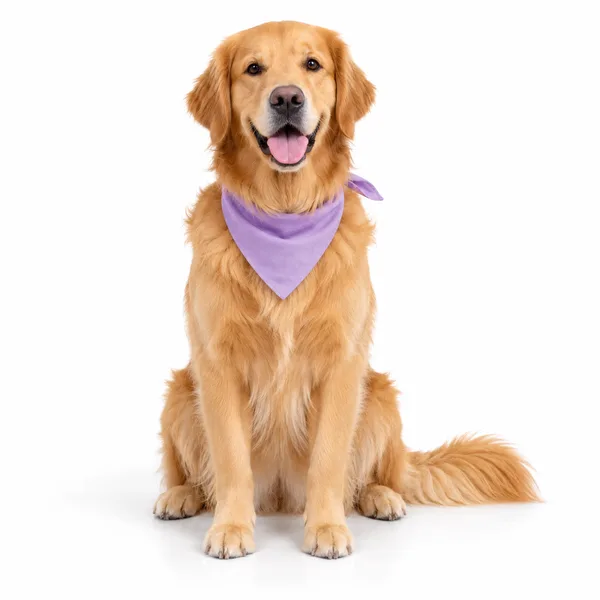
One photo became
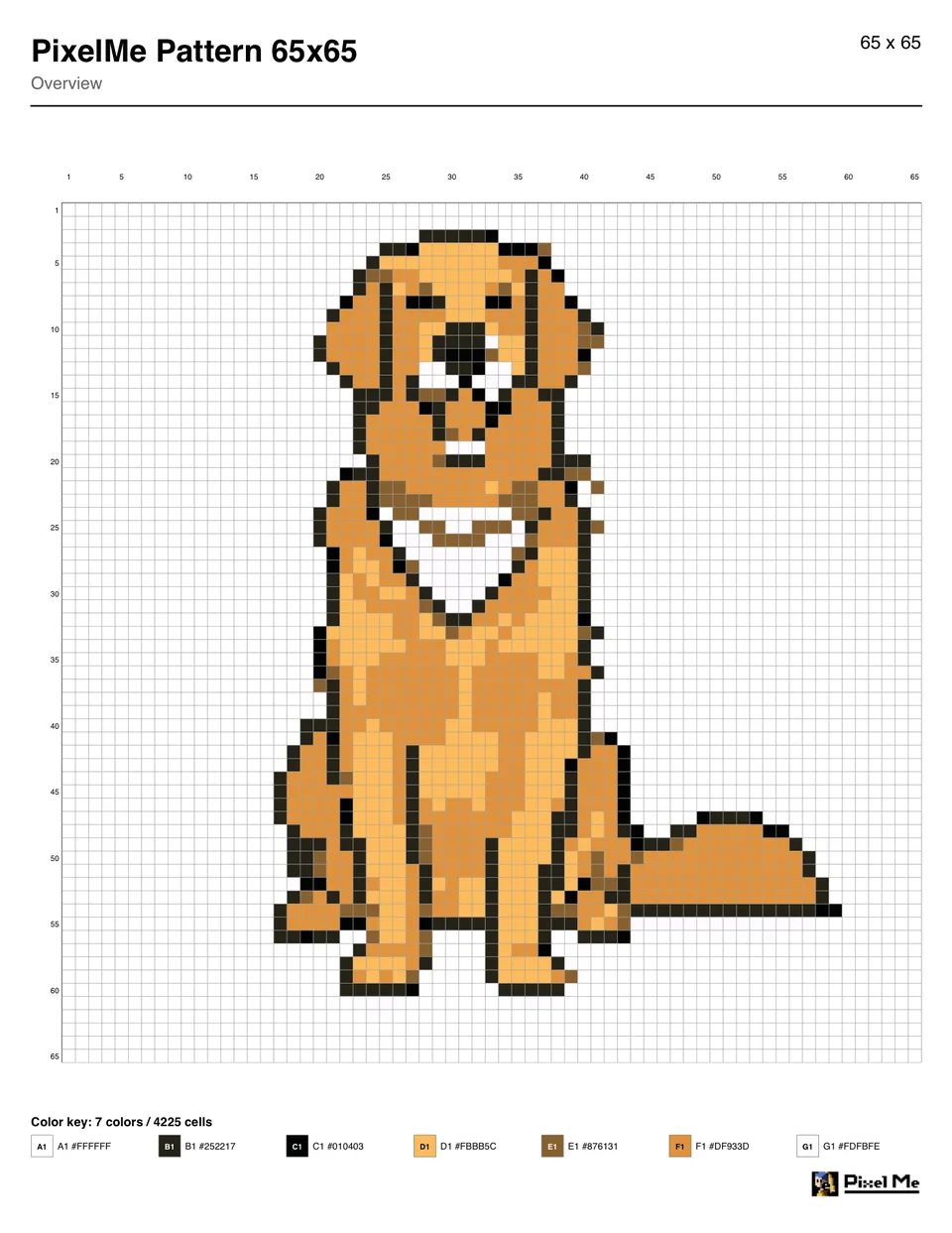
this pattern
Three steps
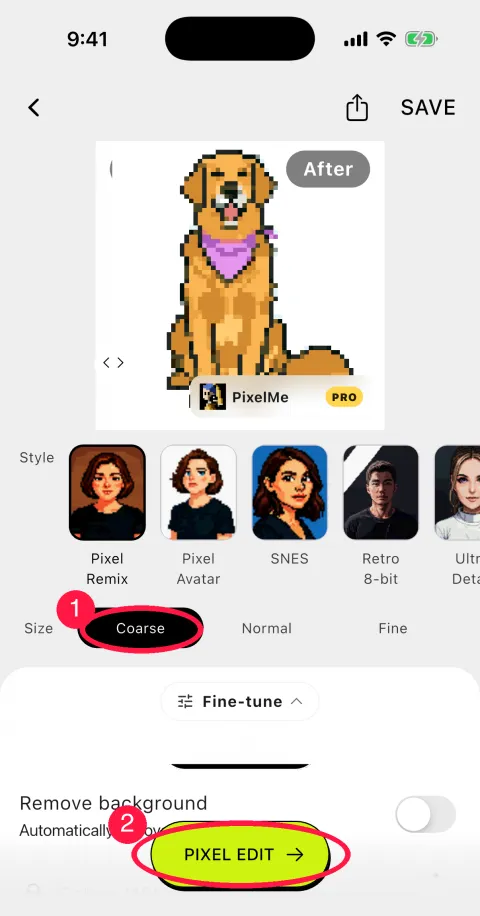
1Pick a photo, convert it at Coarse and tap PIXEL EDIT
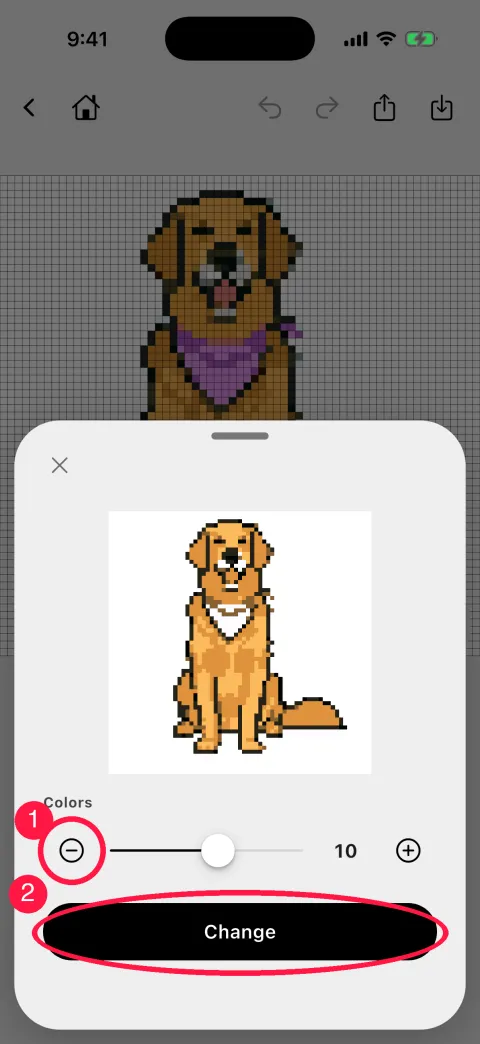
2Reduce the colors (the example went from 16 to 7)
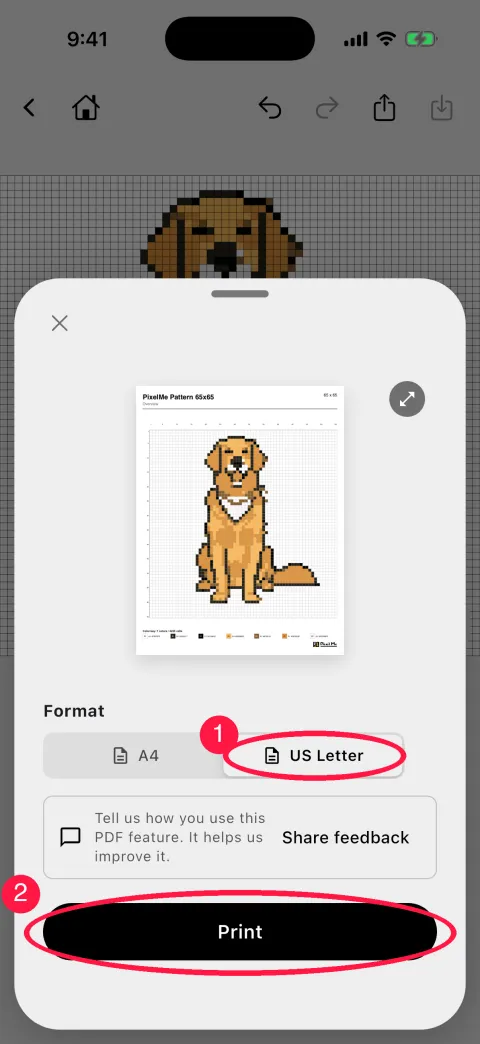
3Print your chart (PDF, A4 or US Letter)
The PDF numbers every fifth row and column and lists each color with a code and hex value. Use it for perler beads or cross stitch. For DMC floss numbers, export to the cross stitch pattern app Stitchly: each color becomes the closest DMC number.
Download this pattern (PDF)Step-by-step guide (perler bead pattern)
Make one from your own photo
Tools for pattern making
- Pen Tool
- Place colors one pixel at a time. Perfect for fine-tuning pattern details
- Bucket Fill
- Change color areas all at once. Recolor large sections with one tap
- Color Palette
- View and edit all colors used. Match to embroidery thread or bead colors
- Reduce Colors
- Pick how many colors to keep. Fewer threads or bead colors to buy
- Grid Size
- Coarse, Normal or Fine. Coarse means fewer squares to stitch or bead
- Pattern PDF & Export
- Print an A4 or US Letter PDF chart, or export to Stitchly (DMC floss) and Perlypop (Perler beads)
What Users Say
This app has so many different options for photos. Ive had this app for a little over a year and the features they have added have gotten better.
— LauraArikayWorks wonderfully. Super fun and fast to make cool pixel art out of your images.
— mt4946Love it ever since I saw it in the beta stages works great and does as advertised and a very cool concept overall!
— Robo178From App Store reviews (excerpts)
Ready to create
your first pattern?
Turn your favorite photo into a one-of-a-kind design.
Free plan: the full PDF chart, with ads. Pro removes the ads.
FAQ
Is it free to use?
Yes. The free plan makes the full PDF chart too, with ads. Pro removes the ads.
Does it support embroidery thread color codes?
Export to the cross stitch pattern app Stitchly and each color becomes the closest DMC floss number. The pattern PDF lists each color with a symbol and a color code.
Can I convert any photo into a pattern?
Yes — portraits, landscapes, pets, illustrations, and more can all be converted to pixel art patterns.