How-to guide
How to make a perler bead pattern from a photo
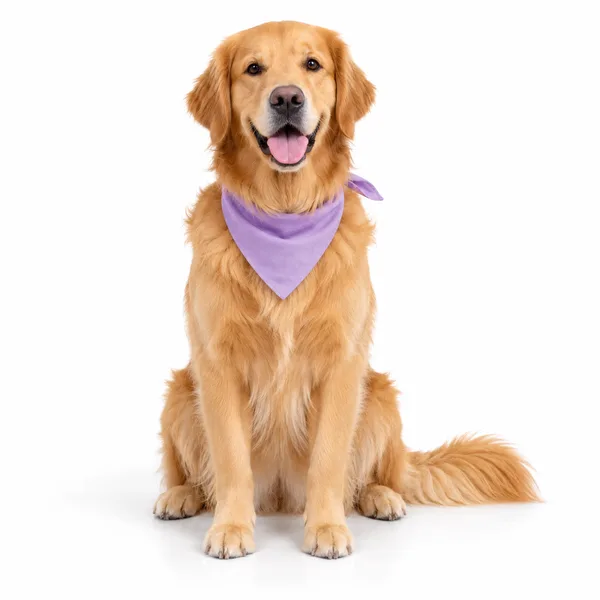
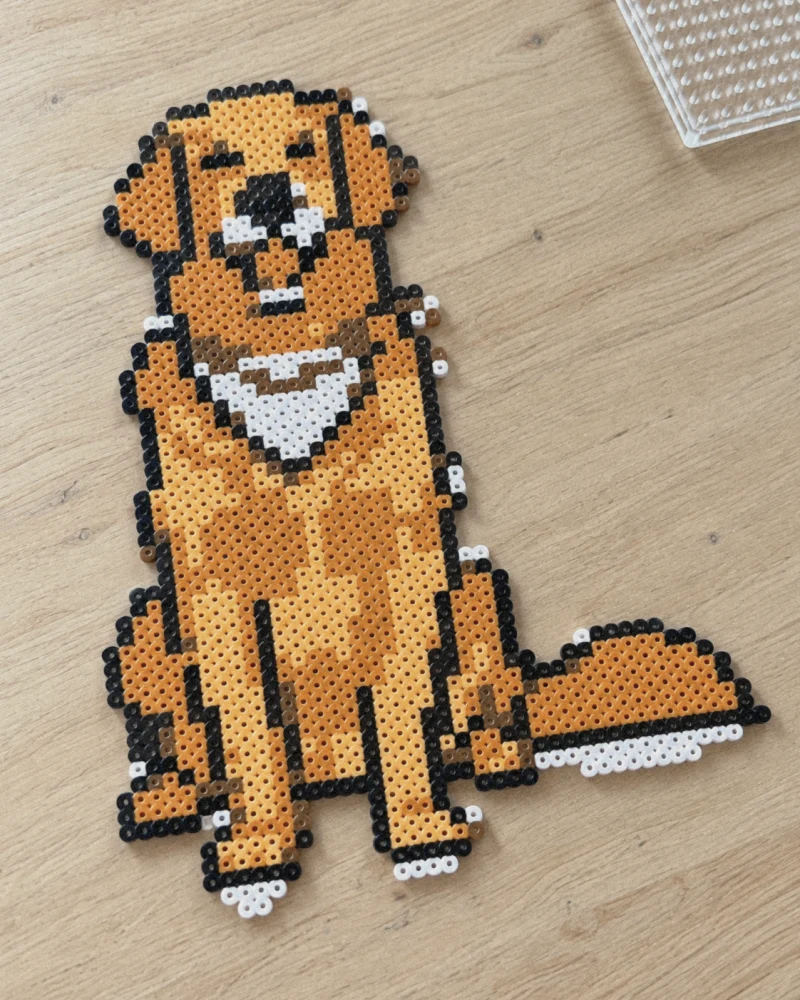
 Make my pattern in the app
Free to start · iPhone / Android
Free plan: the full PDF pattern, with ads. Pro removes the ads.
- 1. Convert at Coarse
- 2. Reduce the colors
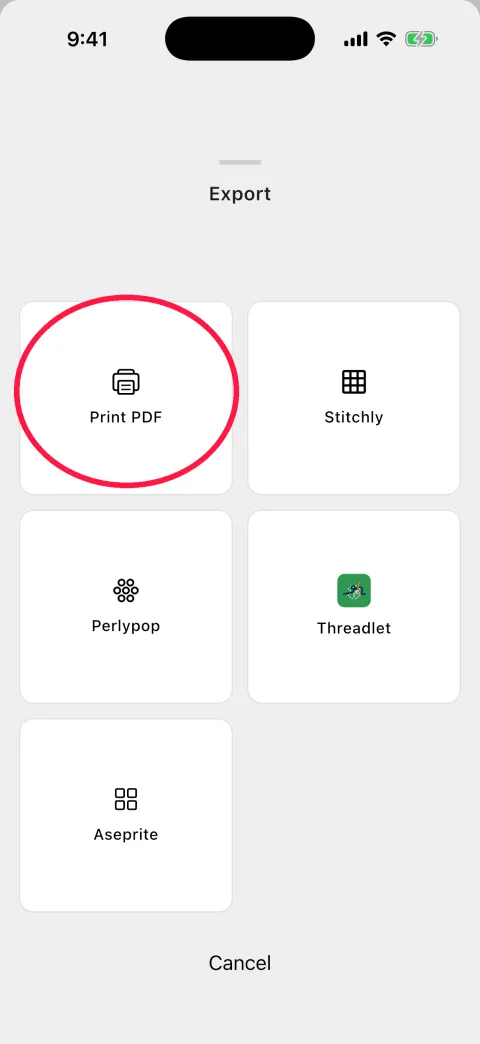
- 3. Print the PDF
Works with your own pet or family photos. Pick a photo, choose how many colors (the example uses 7) and print a PDF chart. One square is one bead, or one stitch if you cross-stitch.
Your pattern comes with a bead list
Example: 1,322 beads, 7 colors, 43 x 60 squares
What you need
- OrangeF1525
- Light orangeD1287
- Dark brownB1257
- WhiteG1106
- BrownE178
- BlackC167
- WhiteA12
- Total1,322
- Size
- 43 x 60 squares (about 21.5 x 30 cm / 8.5 x 11.8 in with 5 mm beads)
- Pegboards
- 2 x 3 large square boards (29 x 29)
- Cross stitch
- 43 x 60 stitches: about 3.1 x 4.3 in on 14-count Aida
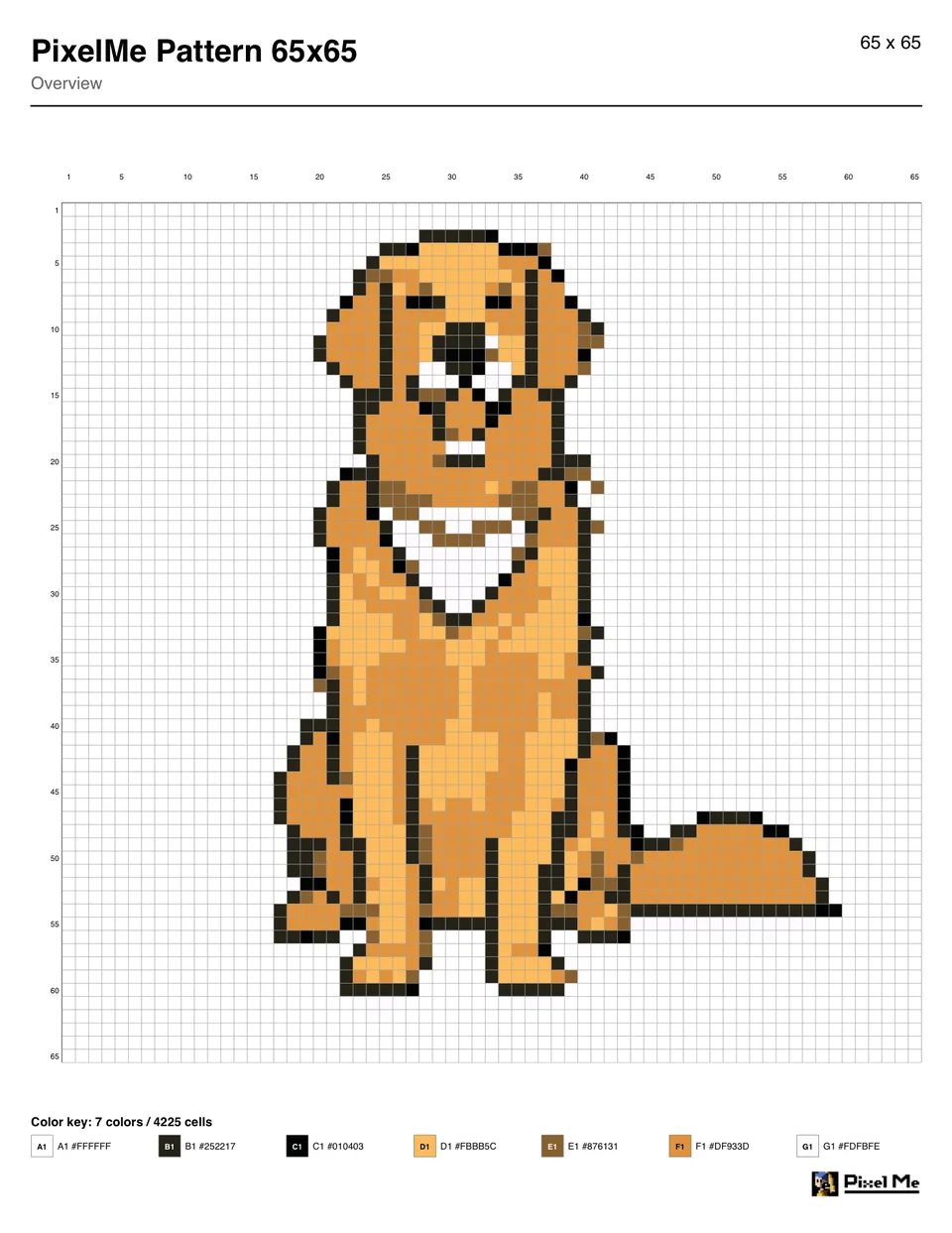
The counts are the squares of the example PDF, without the white background. The codes (A1, B1 …) match the color key in the PDF. White appears twice in the key (A1 and G1); use the same white bead for both.
Want this for your own photo?
Free to start · iPhone / Android
Three steps to the pattern
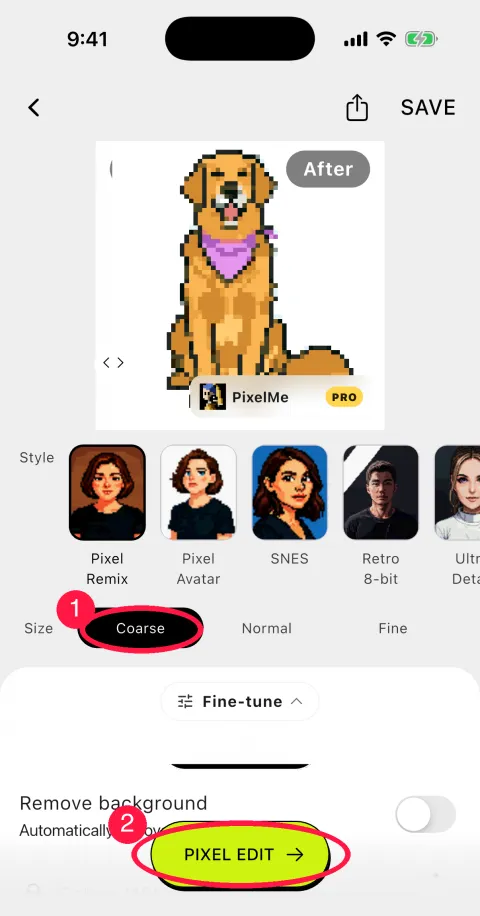
The red circles show where to tap.
1Pick a photo and convert it at Coarse
On the home screen, tap Create Pixel Art, pick a photo and set Size to Coarse (1). The example became a 65x65 grid. Then tap PIXEL EDIT (2).
2Reduce the colors
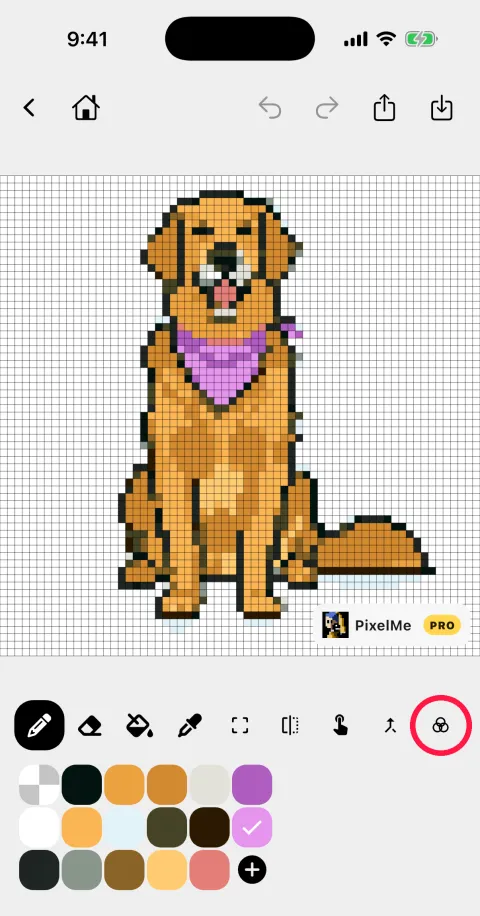
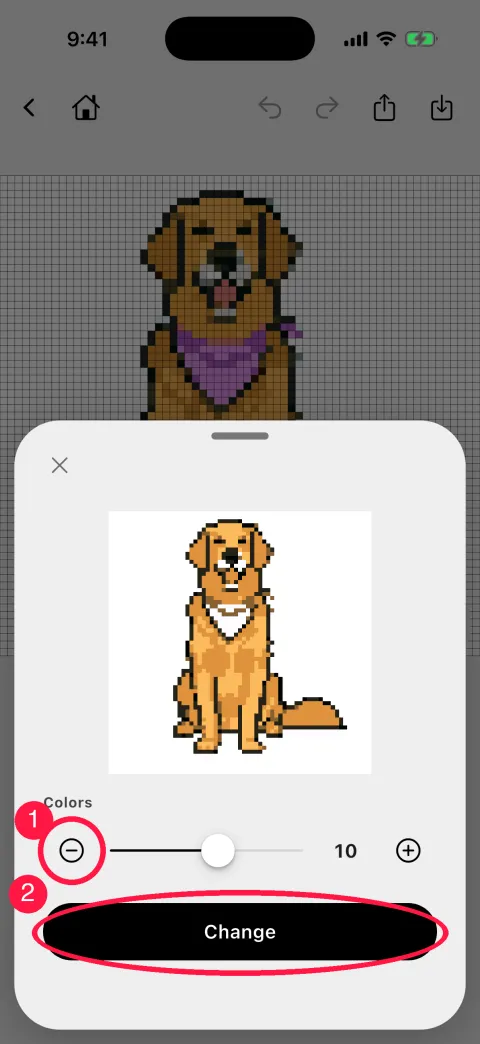
Tap the rightmost tool in the toolbar, choose the number of colors with − and + (1) and tap Change (2). The example went from 16 colors to 7 (the result has at most the number you choose), so you need fewer kinds of beads.
Fix any square by hand with the pen or the fill tool.
3Export a PDF and print it
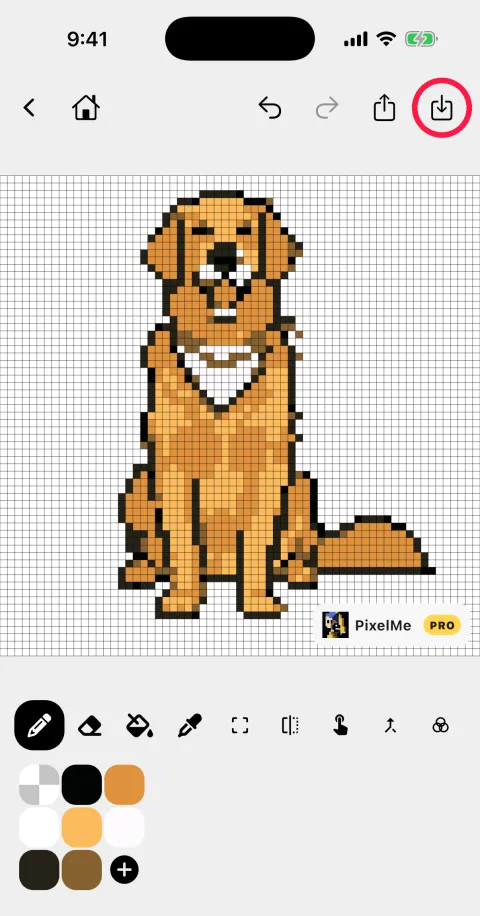
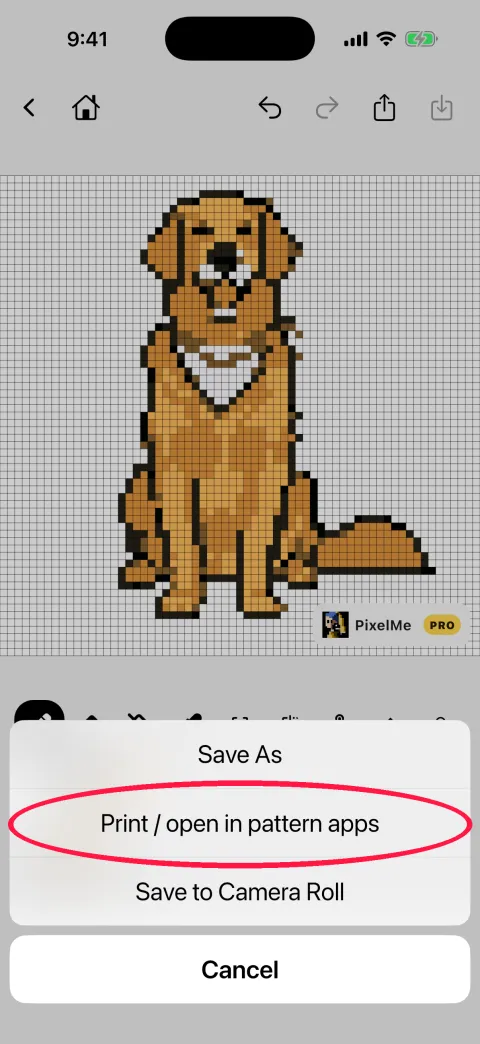
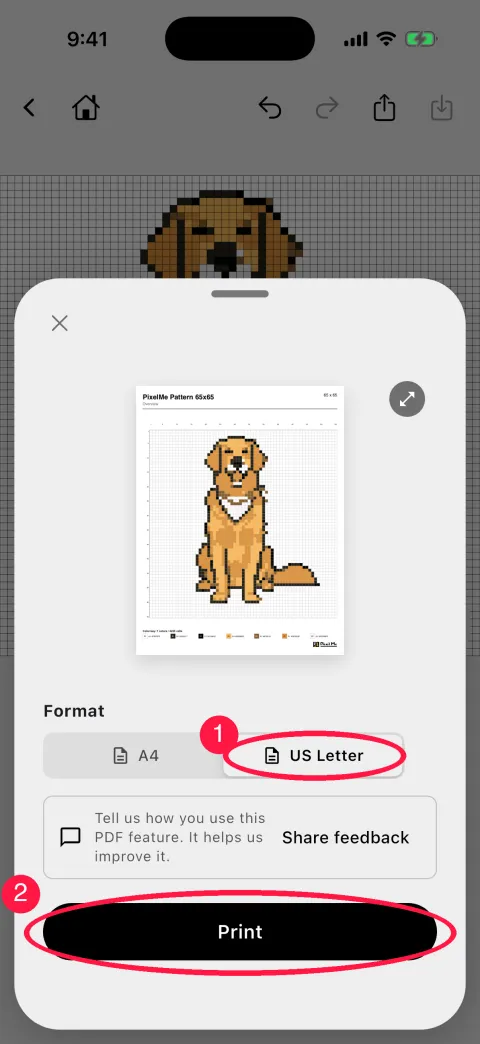
Save (top right) → Print / open in pattern apps → Print PDF → choose A4 or US Letter (1) → Print (2). To keep the file, tap the share button on the print screen and choose Save to Files.
The PDF numbers every fifth row and column and lists each color with a code and hex value.
Try these steps in the app
Free to start · iPhone / Android
Perler bead and cross stitch color numbers
The PDF gives each color a code and a hex value, not a brand's color number. For color numbers, tap Save → Print / open in pattern apps and send the pattern to another app.
Perler bead numbers → Perlypop
A bead pattern app. Shows the bead count per Perler color, how many pegboards you need and the finished size.
DMC floss numbers → Stitchly
A cross stitch pattern app. Each color becomes the nearest DMC floss number.
Pixel art editor → Aseprite
Saves a file you can keep editing in Aseprite.
Coloring → Threadlet
Sends the pattern to a coloring app.
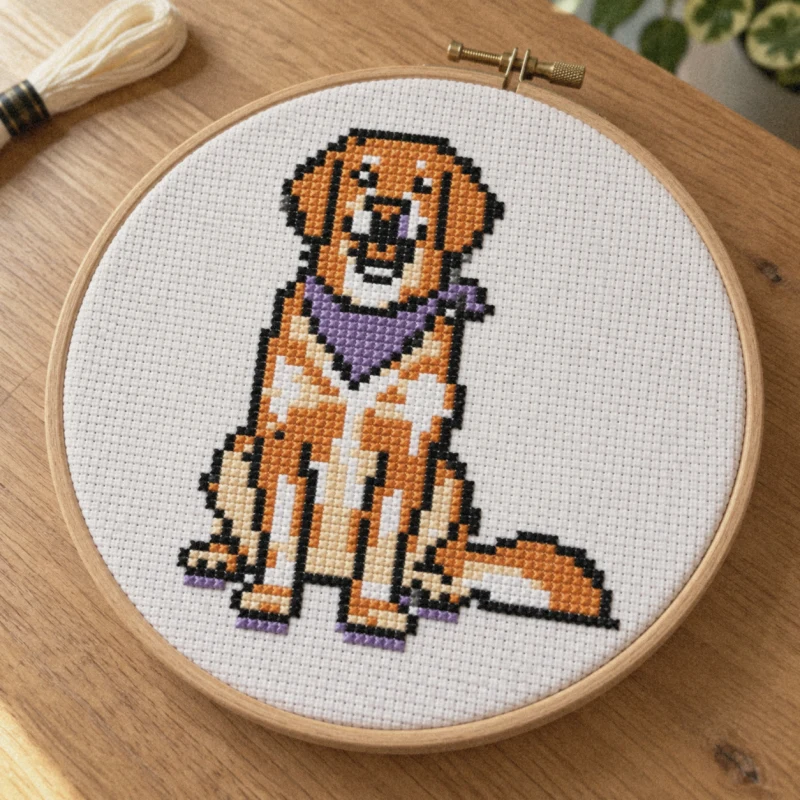
More on cross stitch and bead patterns: Turn a photo into a cross stitch or bead pattern.
Tips
- Fewer colors
- Fewer colors means fewer bead colors to buy and fewer similar shades to tell apart.
- The background
- The white background is part of the grid too (the example is all 65x65 = 4,225 squares). If you leave the background empty, you do not need beads for it.
- Size
- More squares give more detail but need more beads and pegboards.
Make your pattern in the app
★★★★★
Works wonderfully. Super fun and fast to make cool pixel art out of your images.
mt4946 (App Store review)
Free to start · iPhone / Android
The free plan shows ads and offers Pro.